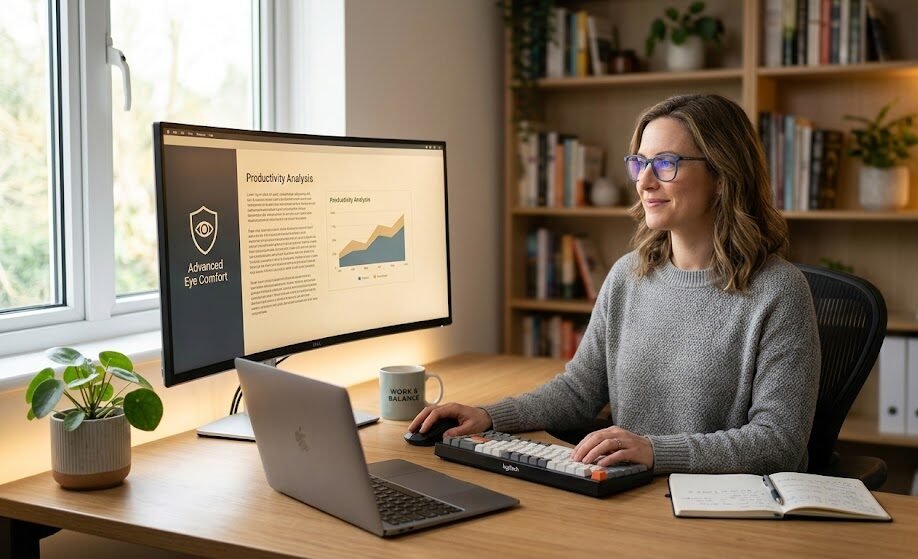
Discover advanced eye comfort solutions to reduce screen fatigue and protect your vision. Science-backed tips, tools, and strategies designed specifically for knowledge workers.
It was 10 PM, and I was staring at my laptop screen for the twelfth hour straight. My eyes felt gritty, like someone had sprinkled fine sand behind my eyelids, and every time I tried to focus, the words blurred just enough to make me squint. That night, I realized I wasn’t just tired — I was experiencing what millions of knowledge workers face every single day: digital eye strain. Back then, I thought it was an unavoidable part of the job. But over time, through research, testing different tools, and talking to optometrists and ergonomic specialists, I learned that screen fatigue is not inevitable — and there are science-backed ways to protect your vision while staying productive.
Digital eye strain, also known as computer vision syndrome, happens when our eyes work overtime to adapt to the constant light, contrast, and glare emitted by screens. Unlike reading printed text, which reflects light naturally, screens emit direct light that flickers at a rate often invisible to the naked eye. This constant effort forces the eye muscles to contract and relax repeatedly, leading to fatigue, dryness, blurred vision, and even headaches. Studies show that people blink only one-third as often when looking at screens, which reduces tear film stability and accelerates discomfort. For knowledge workers who spend 6 to 10 hours daily in front of displays, the cumulative effect can lead to long-term issues if left unaddressed.
A 2025 global survey by the Vision Council found that 79% of office employees report regular symptoms of digital eye strain, and nearly 45% say it affects their work performance and focus. In one case study, a team of software developers at a mid-sized tech firm implemented a structured eye comfort program over three months. They adjusted display settings, used blue light filters, followed the 20-20-20 rule, and upgraded their office lighting. The result? Self-reported eye discomfort dropped by 62%, and productivity metrics showed a 14% improvement in task completion speed. This proves that small, consistent changes can deliver measurable results.
What makes advanced solutions different from basic advice is that they combine technology, ergonomics, and biology. Basic tips like “take breaks” are helpful, but advanced strategies go deeper. They include calibrating screen brightness to match ambient light, using high-quality anti-glare coatings, choosing displays with low blue light emission modes, and even adjusting the distance and angle of your screen. Some modern monitors also use flicker-free technology, which eliminates the rapid on-off cycle of light that strains the ciliary muscles inside the eye. These features are no longer luxury add-ons — they are becoming essential tools for maintaining long-term eye health.
Below is a breakdown of the most effective solutions and their potential benefits for knowledge workers:
| Solution Category |
Specific Tools / Practices |
Main Benefits |
Level of Impact |
| Display Technology |
Flicker-free monitors, low blue light mode, 4K high-resolution screens |
Reduces muscle fatigue, improves clarity, minimizes glare |
High |
| Lighting & Environment |
Indirect ambient lighting, anti-glare screen filters, positioning away from windows |
Eliminates harsh reflections, balances contrast |
Medium to High |
| Habit & Routine |
20-20-20 rule, regular blinking exercises, proper seating distance |
Prevents dryness, relaxes eye muscles, improves circulation |
Medium |
| Optical Support |
Computer glasses, prescription lenses with anti-reflective coating |
Reduces focusing effort, blocks harmful light wavelengths |
High |
| Digital Tools |
Built-in OS eye comfort modes, brightness automation software |
Adapts to changing light conditions throughout the day |
Medium |
From my own experience, switching to a flicker-free monitor and using computer glasses made the most noticeable difference. At first, I didn’t think it would change much — I thought glasses were only for people with vision problems. But after two weeks, the evening headaches disappeared, and I could work longer without that heavy, tired feeling in my eyes. It shifted my perspective: protecting your eyes isn’t about limiting work time; it’s about enabling you to work more comfortably and consistently over years.
Another important angle is understanding blue light itself. Not all blue light is bad — it helps regulate our sleep-wake cycle during the day. But exposure to high-energy blue light from screens in the evening can disrupt melatonin production, leading to poor sleep, which in turn makes eye strain worse the next day. Advanced solutions address this by offering “day mode” and “night mode” settings, so you get the benefits of blue light during working hours and reduce exposure when your body needs to rest. This balance is key to long-term health.
Investing in eye comfort is also an investment in your career. When your eyes are healthy and relaxed, you maintain better focus, make fewer mistakes, and sustain higher energy levels. Many companies now recognize this and include ergonomic equipment and eye care benefits in their employee wellness programs. It’s a win-win situation: workers stay healthier, and businesses see better efficiency and lower absenteeism related to vision issues.
Frequently Asked Questions
Q: Can blue light glasses completely prevent eye strain?
A: They reduce strain by filtering harmful wavelengths and reducing glare, but they work best when combined with proper lighting, screen positioning, and regular breaks. They are not a standalone solution.
Q: Is the 20-20-20 rule really effective?
A: Yes — research confirms that looking at something 20 feet away for 20 seconds every 20 minutes allows the eye muscles to relax and restores normal blinking patterns.
Q: Do I need to buy an expensive monitor to see improvement?
A: Not necessarily. Even adjusting settings on your current screen, using a good anti-glare filter, and improving room lighting can bring significant relief. Higher-end monitors offer more advanced features, but small changes deliver results too.
Q: Can screen fatigue lead to permanent vision damage?
A: It rarely causes permanent damage, but it can worsen existing vision problems and cause chronic discomfort. Over time, unaddressed strain can lead to persistent headaches and reduced work efficiency.