


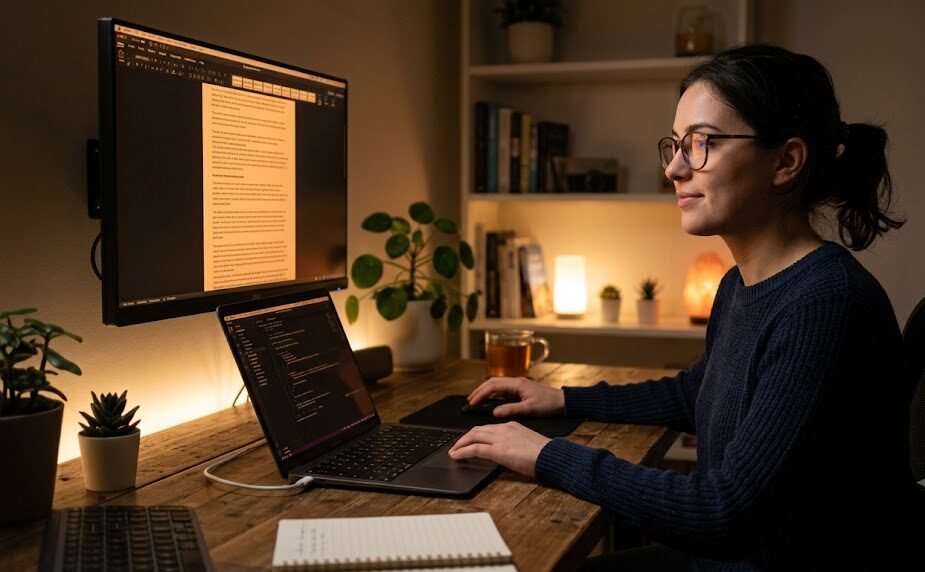
I never realized how much my monitor settings were affecting my eyes until one particularly busy week. Between writing articles during the day, editing photos in the evening, and relaxing with videos at night, my screen time easily exceeded twelve hours a day. By Friday, my eyes felt dry, my vision became slightly blurry, and even reading small text seemed exhausting.
I assumed I needed expensive blue-light glasses or special eye drops. Instead, after spending just fifteen minutes adjusting my display settings, I noticed an immediate improvement. The lesson was surprisingly simple: sometimes, your screen isn’t the problem—your settings are.
As digital lifestyles continue expanding in 2026, millions of people spend most of their waking hours looking at monitors, laptops, tablets, and smartphones. Whether you’re a student, gamer, programmer, designer, or office worker, prolonged screen exposure can contribute to digital eye strain.
Fortunately, smart display settings offer one of the easiest and most effective ways to improve visual comfort without spending money on new hardware.
Understanding Digital Eye Strain
Digital eye strain, also known as computer vision syndrome, is a collection of visual symptoms caused by prolonged screen use.
Common symptoms include:
- Dry eyes
- Blurred vision
- Difficulty focusing
- Eye fatigue
- Mild headaches
- Neck and shoulder discomfort
- Increased light sensitivity
These symptoms often develop gradually, making many people overlook the role their display settings play in visual comfort.
Why Display Settings Matter More Than You Think
Many users leave their monitor settings exactly as they came from the factory.
Manufacturers often prioritize brightness and vivid colors because products look more attractive in retail stores. However, those settings are rarely ideal for everyday use.
Excessive brightness, overly cool color temperatures, poor contrast, and tiny text force your eyes to work harder than necessary.
Optimizing these settings allows your eyes to focus more naturally throughout the day.
Smart Display Settings That Instantly Improve Eye Comfort
1. Reduce Brightness to Match Your Room
A display should not appear significantly brighter than the surrounding environment.
If your monitor resembles a flashlight in a dim room, your eyes constantly struggle to adapt.
Lowering brightness until white backgrounds appear comfortable—not dazzling—is one of the quickest improvements you can make.
2. Adjust Color Temperature
Cool blue-white displays may appear crisp, but warmer color temperatures often feel more comfortable during extended use.
Many operating systems now include automatic night modes that reduce blue-rich light in the evening.
Warmer tones create a more relaxed viewing experience, especially before bedtime.
3. Increase Text Size
Small fonts force continuous eye focusing.
Increasing text scaling by just 10–20% can significantly reduce unnecessary visual effort without reducing productivity.
Comfort always beats squeezing more information onto the screen.
4. Optimize Contrast
Text should remain clear without appearing harsh.
Extremely high contrast can create visual fatigue, while low contrast makes reading difficult.
Finding a balanced level improves readability during long work sessions.
5. Enable Adaptive Brightness
Many modern devices automatically adjust brightness according to ambient lighting.
This feature prevents sudden transitions between bright and dark environments, allowing your eyes to adapt more comfortably throughout the day.
6. Use Dark Mode Wisely
Dark mode is not universally better.
For some users, dark mode reduces glare during nighttime work, while others find black backgrounds harder to read.
The best approach is choosing whichever mode provides the greatest long-term reading comfort rather than following trends.
Case Study: An Office Employee’s Display Makeover
A graphic designer working nearly ten hours daily experienced persistent eye fatigue despite taking regular breaks.
Instead of purchasing new equipment, the designer made several adjustments:
- Reduced monitor brightness
- Enabled warm evening color mode
- Increased interface scaling
- Improved office lighting
- Raised monitor height to eye level
Within two weeks, eye discomfort noticeably decreased, productivity improved, and end-of-day headaches became less frequent.
The experience demonstrated that inexpensive changes often produce meaningful results.
Market Trends Supporting Smarter Screen Habits
Technology companies increasingly recognize digital wellness as an essential user experience.
Current trends include:
- AI-powered adaptive display optimization
- Automatic circadian lighting adjustments
- Eye comfort certifications for monitors
- Flicker-free display technologies
- Anti-glare screen coatings
- Personalized accessibility settings
Instead of focusing only on visual quality, manufacturers are designing displays that actively support healthier viewing habits.
Recommended Display Settings by User Type
| User Type | Primary Display Adjustment | Main Benefit | Improvement Potential |
|---|---|---|---|
| Office Worker | Lower brightness | Reduced fatigue | Excellent |
| Student | Larger text scaling | Easier reading | High |
| Gamer | Balanced brightness & contrast | Better focus | Excellent |
| Graphic Designer | Accurate color temperature | Comfortable editing | High |
| Programmer | Increased font size | Less visual strain | Excellent |
| Remote Worker | Adaptive brightness | Improved all-day comfort | Excellent |
Different professions interact with screens differently, but every user benefits from customizing display settings instead of relying on factory defaults.
Expert Insight: Eye Comfort Is About Balance
Many people believe brighter screens always improve visibility.
In reality, visual comfort depends on harmony between your display, surrounding lighting, viewing distance, and personal preferences.
No single display setting works perfectly for everyone.
The most comfortable setup is one that allows prolonged work without noticeable eye fatigue or discomfort.
Common Mistakes That Increase Eye Strain
Even advanced displays cannot compensate for poor viewing habits.
Common mistakes include:
- Maximum screen brightness all day
- Sitting too close to the monitor
- Ignoring room lighting
- Using tiny fonts
- Working for hours without breaks
- Keeping the screen too high or too low
- Using reflective screens in bright environments
Correcting these habits often improves comfort more than purchasing expensive accessories.
The Future of Smart Display Technology
Display technology is rapidly becoming more intelligent.
Future innovations are expected to include:
- AI-driven personalized eye comfort profiles
- Automatic blink reminders
- Real-time fatigue detection
- Dynamic contrast optimization
- Circadian rhythm synchronization
- Eye-tracking brightness adjustments
- Personalized reading modes powered by machine learning
These developments will allow displays to adapt continuously to users instead of requiring manual adjustments.
Final Thoughts
Digital eye strain isn’t an unavoidable consequence of modern technology.
Simple adjustments like reducing brightness, increasing text size, balancing contrast, improving lighting, and enabling adaptive display features can dramatically improve daily visual comfort.
The best part is that most of these improvements require only a few minutes to implement yet provide benefits that last throughout every workday.
Healthy vision isn’t achieved by avoiding technology—it comes from using technology more intelligently.
Frequently Asked Questions (FAQ)
1. What is digital eye strain?
Digital eye strain refers to eye discomfort caused by prolonged use of digital screens, often resulting in dryness, blurred vision, headaches, and fatigue.
2. Which display setting reduces eye strain the fastest?
Lowering excessive screen brightness to match ambient room lighting is often the quickest and most noticeable improvement.
3. Is dark mode better for eye health?
It depends on the user and lighting conditions. Many people prefer dark mode at night, while others find light mode easier to read during daytime.
4. Should I enable adaptive brightness?
Yes. Adaptive brightness helps maintain comfortable screen illumination as surrounding lighting changes throughout the day.
5. Can display settings replace regular screen breaks?
No. Proper display settings reduce visual stress, but regular breaks, blinking frequently, and maintaining good posture remain essential for long-term eye comfort.
